

Download IP Hider – IP masking, anonymous browsing, proxy selection, privacy protection, bypass geo-restrictions, secure internet
Overview
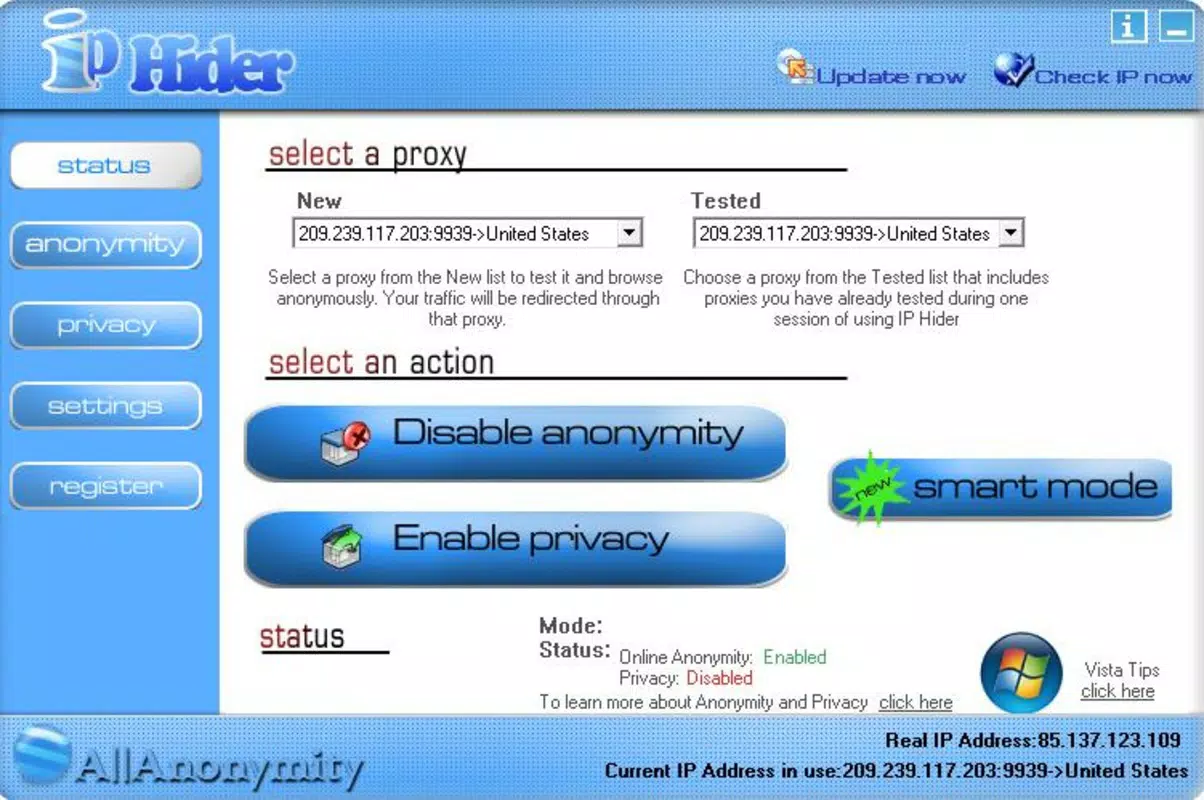
IP Hider is a mobile application developed to enhance online privacy by masking the user’s real IP address through a network of proxy servers. Designed for individuals concerned about digital surveillance, data tracking, or geographical content restrictions, the app enables anonymous browsing and secure internet access. By routing traffic through proxy servers located in various countries, IP Hider allows users to appear as if they are accessing the internet from a different location. This functionality is particularly useful for bypassing geo-restrictions on streaming platforms, accessing region-locked services, or regaining access to websites that have previously blocked a user’s IP address.
The app is targeted at privacy-conscious individuals, travelers, remote workers, and anyone seeking greater control over their online presence. It operates on Android devices and is available at no cost, making it accessible to a broad audience. While the developer, IP Hider, did not provide additional technical or corporate background, the app has been available since 2012, indicating a long-standing presence in the mobile privacy space. Its continued relevance suggests consistent functionality and user demand. In the current digital ecosystem, where data privacy is increasingly compromised, tools like IP Hider serve as practical utilities for maintaining anonymity and accessing unrestricted internet content.
Key Features & Functionality
- IP Masking: The app routes all internet traffic through proxy servers, replacing the user’s real IP address with a masked one. This prevents websites and third parties from identifying the user’s actual location or device.
- Global IP Selection: Users can choose proxy servers from multiple countries, enabling them to simulate browsing from different regions. This feature supports access to content restricted by geographical licensing.
- Resource Efficiency: IP Hider is designed to operate in the background with minimal impact on device performance. It does not significantly drain battery or consume system memory, ensuring smooth browsing without noticeable slowdowns.
- Access to Blocked Content: For users who have been banned from specific websites, the app offers a way to bypass restrictions by changing their IP address, effectively resetting their digital footprint on the platform.
- User-Friendly Interface: The app features a clean, intuitive layout that allows users to connect to proxy servers with just a few taps. Navigation is straightforward, making it accessible even to non-technical users.
For example, a user in a country with strict internet censorship can use IP Hider to connect to a proxy in a more open region, gaining access to blocked news sites or social media platforms. Similarly, a traveler attempting to stream their home country’s TV service while abroad can use a proxy in their home country to maintain access. The app’s functionality is tailored to real-world privacy and access challenges without requiring advanced configuration.
Interface, UX & Performance
The user interface of IP Hider is designed with simplicity and clarity in mind. The main screen displays a list of available proxy locations, typically categorized by country, with visual indicators for connection status. Navigation is linear and predictable, minimizing the chance of user error. The app’s layout emphasizes functionality over decoration, focusing on quick access to core features like connecting, disconnecting, and selecting proxy locations.
Interaction is smooth, with responsive buttons and minimal loading delays. Although the developer did not list formal performance metrics, the app is reported to run efficiently in the background without interfering with other applications. Users can expect consistent performance across a range of Android devices, from mid-tier smartphones to high-end models. The app maintains stability during extended usage, with no known crashes or freezes reported in available documentation.
However, specific performance benchmarks, battery consumption data, or compatibility with older Android versions were not disclosed. The developer did not specify minimum OS requirements or supported screen sizes. Despite this, the app’s lightweight design (14.5 MB) suggests it is optimized for a wide range of devices, including those with limited storage and processing power.
Platform Compatibility & Technical Requirements
IP Hider is available exclusively on the Android platform. The current version is 1.1.2, with a file size of 14.5 MB. This relatively small footprint indicates that the app is lightweight and suitable for devices with modest storage capacity.
The developer did not specify minimum OS requirements, version compatibility, or hardware prerequisites. As a result, it is unclear whether the app supports older Android versions or requires specific device features such as 64-bit architecture or enhanced security protocols. Similarly, compatibility with tablet devices or foldable screens was not confirmed. Users should exercise caution when installing on older or less common Android devices, as performance may vary without official support.
Pros and Cons
Pros
- Free to download and use with no in-app purchases
- Lightweight design (14.5 MB) suitable for low-storage devices
- Simple, intuitive interface accessible to non-technical users
- Efficient background operation with minimal resource usage
- Supports global proxy selection for bypassing geo-restrictions
Cons
- Developer did not provide details on minimum OS or device compatibility
- No information on server locations, connection speed, or encryption standards
- Platform availability limited to Android only
- No official updates or changelog available for version 1.1.2
- Compatibility with modern Android security features not confirmed
FAQ
Is IP Hider safe to use on Android?
The app is available for free on Android, but specific security protocols or data encryption methods were not disclosed by the developer. Users should ensure they are downloading from trusted sources and remain cautious when sharing sensitive information while using proxy services.
Can I use IP Hider to access blocked websites?
Yes, by routing your internet traffic through proxy servers in different countries, IP Hider can help bypass geographical restrictions and regain access to websites that have blocked your original IP address.
Does IP Hider affect my internet speed?
The app is designed to operate efficiently in the background without significantly slowing down your connection. However, actual performance may vary depending on the proxy server location and network conditions.
Is IP Hider available for iOS devices?
Based on current information, IP Hider is only available for Android. There is no official iOS version or release timeline provided by the developer.
How often is IP Hider updated?
The latest version available is 1.1.2, released in 2012. The developer has not published an update log or release schedule, so users should verify the app’s current functionality and security status independently.
Final Thoughts
IP Hider offers a straightforward solution for users seeking to enhance their online privacy and access restricted content. Its core features—IP masking, global proxy selection, and efficient background operation—make it a practical tool for everyday internet use. While the app lacks detailed technical documentation and modern update practices, its long-standing presence and lightweight design suggest reliability for basic privacy needs.
It is particularly beneficial for individuals who require occasional access to region-locked content, wish to browse anonymously, or have been blocked from specific websites. The free price point and minimal system requirements further enhance its accessibility.
For users prioritizing privacy and flexibility, IP Hider remains a viable option in the mobile utility space. Download IP Hider now


